
Yes. Scard is free to download and includes 2 saved scans. To keep scanning after that you need Scard Pro, which you can buy as a monthly or yearly subscription or as a one-time lifetime purchase. If you dislike subscriptions, the lifetime option is the one to look at.
- Free to download, with 2 saved scans to try the app
- Pro adds unlimited scanning, as a subscription or a one-time lifetime purchase
- Saving to Contacts or Photos, export, tags and search are not behind Pro
- Prices are shown in the App Store and vary by country, so none are quoted here
What you get before paying
Scard costs nothing to install, and you do not need to create an account to start. The free version lets you save 2 scanned cards. That is enough to test the things that matter before you pay anything: how well the camera frames a card, how the fields are sorted, how your own card layouts come out, and whether the export suits the tools you use.
A good way to use those two scans is to pick the two worst cards in your drawer, the ones with a script font or a busy background, and see what the scanner makes of them. Scan one in good light and, if you like, one offline. Then open the saved card, check the fields, add a tag and try a CSV export. If the result works for you, you have your answer. If it does not, you have spent two scans and no money.
The word to hold on to is “saved”. The limit applies to cards you keep. You still review every field before saving, so a scan you discard because the crop was off is not what the limit is about. The pricing page explains how this counts in more detail.
Subscription or lifetime: the choice after the free scans
Once the free scans are used, Pro is what lets you keep saving new cards without a cap. It is offered in two forms. The first is a subscription, billed monthly or yearly through your Apple ID, and a free trial may be offered on some plans. The second is a single lifetime purchase that you pay once and keep.
If you only scan around a few events a year, the lifetime purchase usually makes more sense than a plan that renews while the app sits unused. If you want to pay a small amount while you try the app over a busy season, and cancel afterwards, a subscription fits better. Scard shows the current prices in the App Store, and they differ between countries and change over time, so check there before you decide. This page deliberately does not quote any figures.
Whichever you pick, Pro does one thing: it removes the limit on how many cards you can scan and save. It does not change how the scanner works, and it does not move your data anywhere. Your cards stay on your devices and sync through your own iCloud.
What stays available without Pro
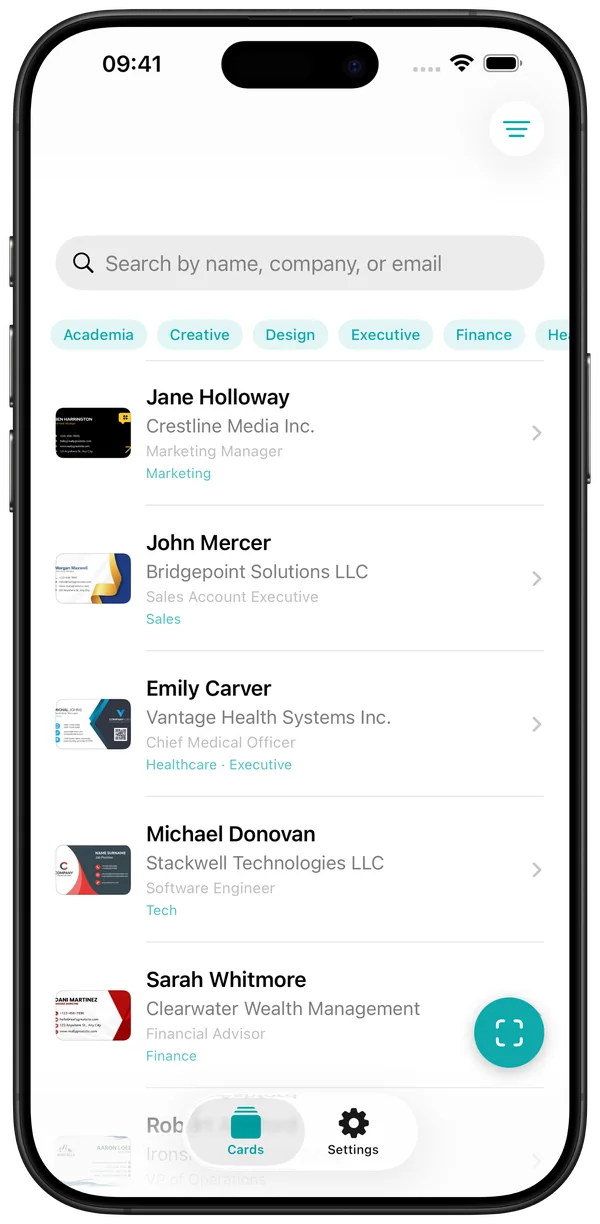
Pro is a scanning limit, not a lock on your own data. Saving a card to iPhone Contacts, choosing a Contacts group, saving the image to Photos, adding tags and notes, searching by name, company or email, and exporting are not separately gated. That includes CSV and PDF for the whole collection and vCard, image or text for a single card.
This matters if you ever stop paying. A cancelled subscription ends the ability to add more cards beyond the free limit. It does not take away the cards you already saved, and you can still search them, edit them and export them. You can read more about the export formats on the export page and about organizing on the tags and search page.
Buying Pro on one device is not tied to a Scard account, because there is none. If you reinstall the app or move to a new iPhone, use Restore Purchases in the app's Settings to bring Pro back under the same Apple ID.
Cancelling and restoring
A subscription is managed by Apple, not by us. To cancel, open Settings on your iPhone, tap your name, then Subscriptions, and choose Scard. You can do this at any point, and the change is yours to make without contacting anyone. The lifetime purchase is not a subscription, so there is nothing to cancel.
If something looks wrong after a reinstall, or Pro does not show on a new device, go to Settings inside Scard and use Restore Purchases first. If that does not sort it out, write to support@luvleelab.com and describe what you see. For the wider picture of questions people ask, the help centre covers it.
The limit is on saved scans, and Pro is needed to go beyond 2. Prices differ by country and can change, so check the App Store before buying. Family Sharing is not something we claim for Pro.
How to try Scard before you pay
- Install the app
Download Scard from the App Store. No account or sign-up is needed.
- Use your 2 free scans
Scan two real cards, ideally one of your difficult ones, and review the fields before saving.
- Test what matters to you
Add a tag, search for the card, and try a CSV export or save to Contacts.
- Decide on Pro
If you want to keep scanning, choose a subscription or the one-time lifetime purchase. Prices are shown in the App Store.
Frequently asked questions
Is there a business card scanner with no subscription?
Scard can be used without a subscription. After the 2 free saved scans you can buy the one-time lifetime purchase of Pro instead of a monthly or yearly plan.
What does Scard Pro add?
Unlimited scanning. Without Pro you can save 2 scanned cards. Pro removes that limit and does not change how the scanner works.
Do I lose my cards if I cancel a subscription?
No. The cards you saved stay in the app, and you can still search, edit and export them. You just cannot add more beyond the free limit.
How do I restore a purchase on a new iPhone?
Open Settings inside Scard and use Restore Purchases, signed in with the same Apple ID you bought with.