
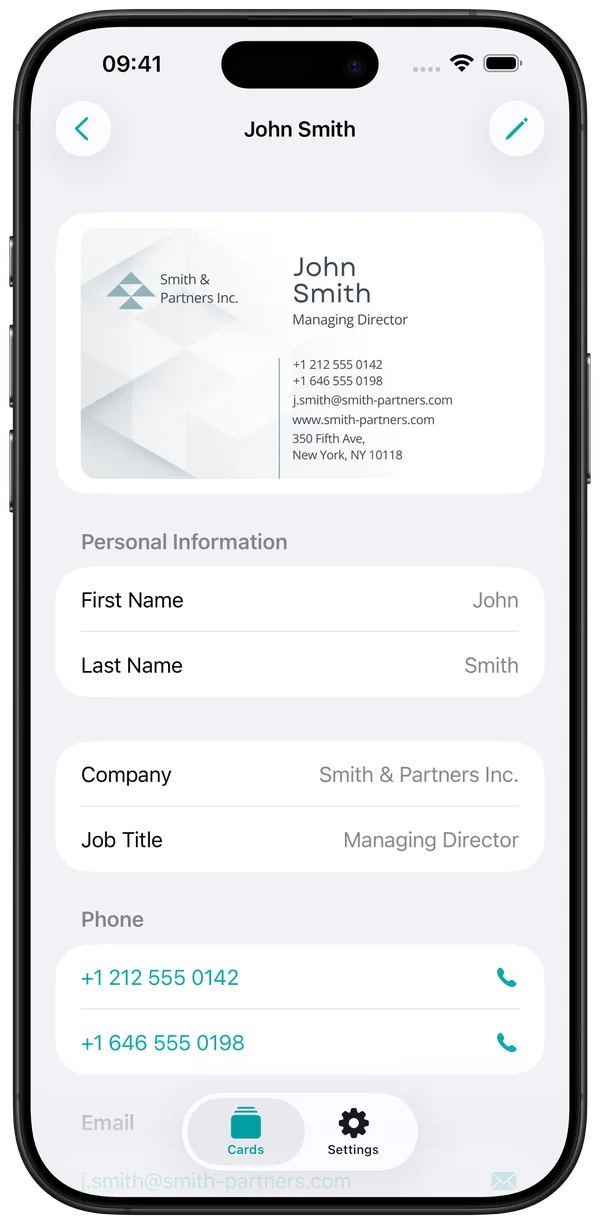
You can use Scard without an account or sign-up. Card images are never uploaded, and your collection is stored on your device and synced through your own iCloud. When you are online, the recognized text (not the image) is sent anonymously for AI field sorting, and the app uses anonymous analytics without card content.
- No account, email address or password to create
- Card images never leave your iPhone
- Collection stored on-device and synced through your own iCloud
- Anonymous analytics (no card content) and crash reports are used; data is not sold
What no account means in practice
Scard does not ask you to register before the first scan. You install it, allow camera access and scan, with no profile to create and no email to confirm.
This also changes where your contacts live. Because there is no Scard account, there is no Scard-run cloud database holding your collection. Cards are stored on your device and, if you are signed in to iCloud, synced between your own iPhone and iPad through your own iCloud account. If iCloud is unavailable, the app falls back to local-only storage. Business cards contain other people’s personal details, so keeping them out of a vendor account is a reasonable default. If you handle contacts from the EU, the GDPR notes on business card contacts go into the obligations that remain yours.
Exactly what is and is not sent
Here is the complete picture. The card image is never sent anywhere: text recognition runs on the device with Apple Vision. The image stays on your iPhone, and in the photo library only if you choose to save it there.
When you are online, Scard sends the recognized plain text of the card over HTTPS to an AI model that sorts it into fields. The request carries no name, Apple ID, device ID or location, and the proxy it passes through does not expose your IP address. LuvleeLab does not store the request. The model provider may retain API inputs for up to 30 days for abuse monitoring and does not train on API data by default. This happens automatically on every online scan. Offline, an on-device parser does the sorting and nothing is sent.
Separately, the app uses anonymous usage analytics that do not include card content, and crash reports. Data is not sold. We do not claim “no analytics,” because that would be untrue. The full wording is in the privacy policy linked from the App Store listing.
Permissions, and when they are asked for
Scard asks for three permissions and only when they are needed. Camera access is required to scan. Contacts access is requested only when you save a card to your iPhone Contacts. Photos access is add-only and requested only when you save a card image to your library; the app does not read your photo library through that permission.
If you import a card from a photo already in your library, you pick the image with the system photo picker. For that route, see scanning a business card from a photo.
A scanner that handles other people’s details should also be easy to leave. Your cards can be exported at any time as CSV or PDF for the whole collection, or as vCard, image or text for a single card, so your data is never locked in. The scanner checklist explains why privacy and export freedom belong at the top of the list.
Questions to ask any scanner app
Whether you use Scard or another tool, a few questions tell you most of what you need. Does it require an account before the first scan? Is the card image uploaded, or only text? Where is the collection stored, and who can read it? Can you export everything in an open format? Does the vendor say plainly which analytics it uses?
We answer those for Scard in the sections above, including the parts that are less convenient to state, such as the online text step and the analytics. A privacy claim you can verify and that names its exceptions is more useful than a blanket one.
For work with contacts, also consider your own obligations. Having someone’s card does not give you unlimited rights to use their details, and rules differ by country. The GDPR post is a starting point, and the checklist guide turns these questions into a short evaluation list. The privacy policy linked from the App Store listing is the authoritative text.
AI sorting is automatic on every online scan and cannot be switched off per scan; go offline if you want nothing sent. Scard is free to download with 2 free scans; unlimited scanning needs Pro.
How to scan with no account
- Install Scard
Download it from the App Store. There is no sign-up screen.
- Allow camera access
Camera is the only permission needed to start scanning.
- Scan and review
Scan a card and check each field. Only recognized text is sent for AI sorting, and only when you are online.
- Keep it private
Cards stay on your device and sync through your own iCloud. Contacts and Photos permissions are asked for only if you save there.
Frequently asked questions
Do I need to create an account?
No. Scard has no account and no sign-up.
Are my card images uploaded?
No. Images stay on your device. Only recognized text is sent for AI sorting when you are online.
Does Scard use analytics?
Yes, anonymous analytics without card content, plus crash reports. Data is not sold.
Where is my collection stored?
On your device, synced through your own iCloud across your iPhone and iPad. If iCloud is unavailable, it stays local.